
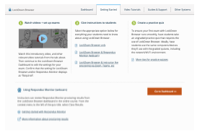
In-App Training Resources
At institutions that license LockDown Browser, instructors will find these same training resources within the application itself.
Simply navigate to the LockDown Browser dashboard within your LMS to view demonstration videos, Quick Start Guides and other resources specific to your LMS.
Watch the Overview Video
Select the training video for your Learning System
Select the video for your learning system:
Learn how to prepare an exam
Select the training video for your Learning System
Select the video for your learning system:
Training Webinars
- Register for a free training webinar on LockDown Browser and Respondus Monitor.
Getting started with LockDown Browser
Installing LockDown Browser
Provide your students the installation link for LockDown Browser (this link is unique for each institution). If you don't have the URL for this page, visit the training resources within the LockDown Browser dashboard, or contact your institution's LMS administrator.
Instructor Quick Start Guides
Select the guide for your learning system:
Information to add to your syllabus
The sample text below can be used in your course or syllabus. It explains that students must use LockDown Browser for their online tests.
Using LockDown Browser for Online Exams
This course requires the use of LockDown Browser for online exams. Watch this short video to get a basic understanding of LockDown Browser and the optional webcam feature (which may be required for some exams).
Then download and install LockDown Browser from this link:
[NOTE TO INSTRUCTOR: INSERT THE STUDENT QUICK START GUIDE FOR YOUR LMS HERE]
To take an online test, start LockDown Browser and navigate to the exam. (You won't be able to access the exam with a standard web browser.) For additional details on using LockDown Browser, review this Student Quick Start Guide (PDF)
[NOTE TO INSTRUCTOR: INSERT YOUR INSTITUTION'S DOWNLOAD URL HERE, IF APPLICABLE]
Finally, when taking an online exam, follow these guidelines:
- Select a location where you are comfortable having a video recording taken of yourself and your workspace environment. This area should also be free of distractions and interruptions.
- Before starting the test, know how much time is available for it, and that you've allotted sufficient time to complete it.
- Turn off all mobile devices, phones, etc. and don't have them within reach.
- Clear your area of all external materials — books, papers, other computers, or devices.
- Remain at your desk or workstation for the duration of the test.
- LockDown Browser will prevent you from accessing other websites or applications; you will be unable to exit the test until all questions are completed and submitted
Why a practice exam is important
Ensure your first exam using LockDown Browser runs smoothly! Have students take an ungraded practice quiz that requires the use of LockDown Browser, before the graded exam occurs.
Leave the quiz available for the duration of the course, with unlimited attempts, so students can access it again if they use a different computer.
Resources for your Students
Student Quick Start Guides
Provide students a link to the LockDown Browser Student Quick Start Guide for your learning system:
An overview for your students [video: 2 minutes]
You may share this direct link to the video: https://web.respondus.com/lockdownbrowser-student-video/
System Requirements for LockDown Browser
Memory
Windows: 75 MB permanent space on the hard drive
Mac: 120 MB permanent space on the hard drive
Browser Requirements
LockDown Browser is a client application that is installed to a local computer. Both the Windows edition and the Mac edition of the browser are based on Chromium, Google's open source framework. Students do NOT need Google's Chrome browser installed; nor will this version affect a Chrome browser that's already installed.
Learning Management Systems
LockDown Browser integrates with the following learning management systems:
- Blackboard Learn (9.1 or Ultra)
- Brightspace
- Canvas
- Moodle 3-4
- Schoology
- Sakai 2.7.1+
Languages
- LockDown Browser is localized for multiple languages, including English, Spanish, French, German, Italian, and Portuguese.
Technical Support
- Visit our Support section for technical questions or to submit a ticket